Posts

Showing posts with the label Guide

How to enable Facebook Comment reply function on Facebook Profile

Image
This is a guide on how to enable Facebook comment reply on your Facebook profile. Summary of steps: 1. Open Chrome 2. Enable emulate geolocation coordinate. 3. Set geolocation to New Zealand ("-41.211111", and "174.781111"). 4. Open touch.facebook.com 5. Select "Check in" 6. Open facebook.com 7. Comment reply should appear now!

[Samsung I9000] Remove Singtel startup animation

Image
Was looking around for Froyo update for Samsung Galaxy S and stumbled upon this guide to remove Singtel startup animation at xda-developers , by changing the Sales Code of your CSC (Customer Specific Customization) version of your phone. Update : Thanks to Peng Sian for emailing me regarding the changes for changing CSC. For Android 2.2 Froyo : Make sure you've your data (files, sms, contacts, etc.) properly backed up. Open dialer and press  *#06# . Record down the 15 digit IMEI number. Open dialer and press *#272*XXXXXXXXXXXXXXX# (XXXX is your IMEI). Select XSP and click on the "Install" button. Your phone will reboot & do a wipe on itself. Enjoy your Galaxy S without SingTel's customizations. For Android 2.1 Eclair . Make sure you've your data (files, sms, contacts, etc.) properly backed up. Open dialer and press *#272*HHMM# (HHMM refers to the time on your device in 24hrs format when you entered this code). Select XSP and click on the ...

Windows 7 Sleep Problem [Solution]

Image
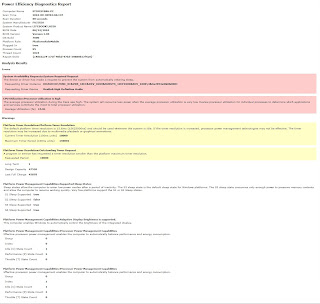
Problem: Windows 7 (x64) won't go to sleep / hibernate. Solution(s): Method 1 - Disallow Device to wake-up computer If you want to see which devices are enabled for waking up your computer. Run Command by typing " cmd " in Start Menu . enter powercfg -devicequery wake_armed If there is devices listed that are able to wake Windows up. You might want to consider turning the option off. In Start Menu , type " Device Manager ". for the device in the list just now, right click and select Properties . Go to the tab " Power Management " Uncheck "Allow this device to wake up" Done. Then, try to sleep your computer again. Method 2-  Generating energy report. If the problem still exist. Try this method instead. In Start Menu , type "cmd". Then press " CRTL + SHIFT + ENTE R" to run as Administrator. Issue this command, "powercfg -energy". Wait for 1 minute. Open the report generated in the spec...