Posts

Showing posts with the label MySQL

Backup MySQL to Azure Storage in 30 Seconds
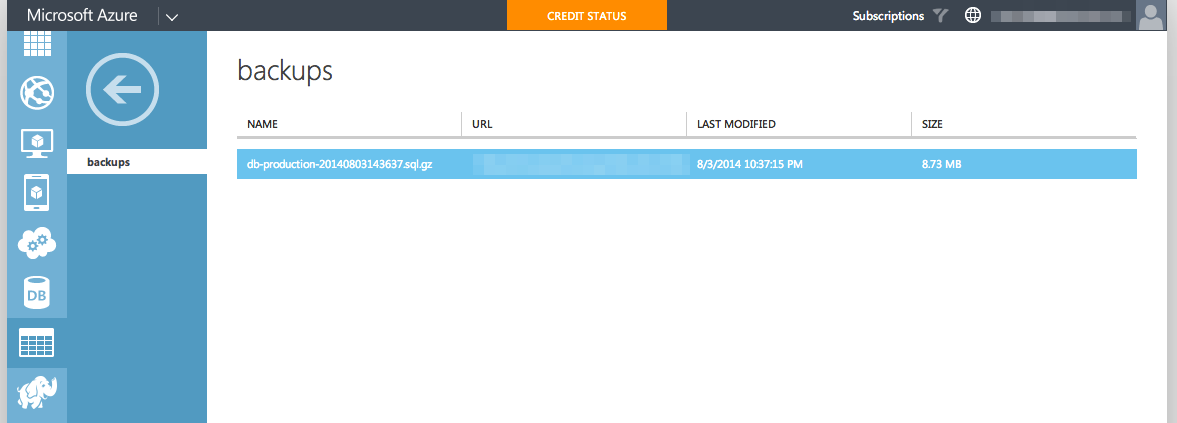
Image
Step 1. Disable password prompt for "mysqldump command" mysqldump: Got error: 1045: Access denied for user 'root'@'localhost' (using password: NO) when trying to connect 1. Run " vi ~/.my.cnf " 2. Add the following lines [ mysqldump ] user = mysqluser password = secret 3. For Bitnami, you'll need to append the following line in " /opt/bitnami/mysql/my.cnf " !include ~/.my.cnf 4. Try running to see if the command works. mysqldump --all-databases > /home/bitnami/backups/db-backup.sql Step 2(a). Install Azure-CLI Prerequisites: Installing npm. sudo apt-get update sudo apt-get install nodejs sudo apt-get install npm Note: If you facing issue while installing nodejs/npm on Ubuntu 12.04, you can refer to his article for alternative way to install  https://rtcamp.com/tutorials/nodejs/node-js-npm-install-ubuntu/ , or this  http://stackoverflow.com/questions/16302436/install-nodejs-on-ubuntu-12-10#comment32...

Bitnami Setup Cron to Backup MySQL

Step 1. Disable password prompt for "mysqldump command" mysqldump: Got error: 1045: Access denied for user 'root'@'localhost' (using password: NO) when trying to connect 1. Run " vi ~/.my.cnf " 2. Add the following lines [ mysqldump ] user = mysqluser password = secret 3. For Bitnami, you'll need to append the following line in " /opt/bitnami/mysql/my.cnf " !include ~/.my.cnf 4. Try running to see if the command works. mysqldump --all-databases > /home/bitnami/backups/db-backup.sql Step 2. Setup Cron to Backup to MySQL Lets setup cron to run at 00:00, every midnight. Option 1: For manual insert into crontab file via " crontab -e " command 0 0 * * * /opt/bitnami/mysql/bin/mysqldump --all-databases | gzip > /home/bitnami/backups/db-$(date +\%Y\%m\%d\%H\%M\%S).sql.gz Note that you'll need to escape the "%" characters, because cron will see it as end character and ignore ...

[CodeIgniter] MySQL NOW()

Was trying to do insert/update using CodeIgniter Active Record helpers, and realize the usual way of inserting doesn't work, because the helper functions actually escaped the values to prevent SQL injection. So we can't do the just group all the data together the easy way. $data['field1'] = $data1; $data['field1'] = $data2 $data['created_date'] = 'NOW()'; $this -> db -> insert($this -> tables['some_table'], $data); There are two possible ways to go around this. 1. Use CodeIgniter $db -> set() function, with the additional FALSE parameter to prevent data from being escaped. $this -> db -> set('created_date', 'NOW()', FALSE); $this -> db -> insert($this -> tables['some_table'], $data); 2. Use PHP data function to generate datetime string. The only thing to note with this method is, in most cases, the PHP server time and the MySQL time is different. $data['created_dat...