Posts

Showing posts with the label Windows 7

Windows 7 USB Startup download tool

Image
Finally decided to create a Windows 7 Startup USB to install Windows 7 on my laptop with faulty DVD-drive. Searched through the net for USB startup creator, and found out that theres a free tool from Windows available at Microsoft Store . Requirements : Windows 7 ISO (more than) 4GB removable USB flash drive* *Note: If your USB is advertised capacity 4GB, then you might want to consider getting a 8GB USB drive. During the USB creation, I stumbled across this issue of "The selected file is not a valid ISO file. Please select a valid ISO file and try again".  A quick Google search shows that there are solution to this at http://www.withinwindows.com/2009/11/01/use-the-windows-7-usbdvd-download-tool-with-custom-isos/ You can download the quick hack/fix for your from the site . You can also find out about how the tool works from the site . Here are the mirrors for the tool and the fix . Credits to owners.
Windows 7 Sleep Problem [Solution]

Image
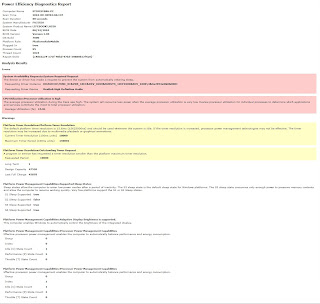
Problem: Windows 7 (x64) won't go to sleep / hibernate. Solution(s): Method 1 - Disallow Device to wake-up computer If you want to see which devices are enabled for waking up your computer. Run Command by typing " cmd " in Start Menu . enter powercfg -devicequery wake_armed If there is devices listed that are able to wake Windows up. You might want to consider turning the option off. In Start Menu , type " Device Manager ". for the device in the list just now, right click and select Properties . Go to the tab " Power Management " Uncheck "Allow this device to wake up" Done. Then, try to sleep your computer again. Method 2-  Generating energy report. If the problem still exist. Try this method instead. In Start Menu , type "cmd". Then press " CRTL + SHIFT + ENTE R" to run as Administrator. Issue this command, "powercfg -energy". Wait for 1 minute. Open the report generated in the spec...